

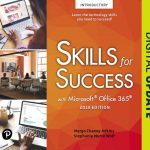
Skills for Success with Microsoft Office 2019 Introductory
$219.99
| Title | Range | Discount |
|---|---|---|
| Trade Discount | 5 + | 25% |
- Description
- Additional information
Description
PART 1: TECHNOLOGY FUNDAMENTALS
- Getting Started with Computer Concepts
- Common Features of Windows and Office
- Browse the Internet
PART 2: MICROSOFT OFFICE
Microsoft Word
- Introduction to Word
- Create Letters and Memos
- Create Business Reports
- Create Flyers
- Create Newsletters and Mail Merge Documents
- Capstone Project
- Integrated Project 1: Format Academic Reports and Include Information from the Web
- Integrated Project 2: Use Excel Data in Word Mail Merge
- Office Online Project: Create Flyers Using Word Online
Microsoft Excel
- Introduction to Excel
- Create Workbooks with Excel 2019
- Insert Summary Functions and Create Charts
- Manage Multiple Worksheets
- More Functions and Excel Tables
- Text, Statistical, Logical, and Conditional Functions
- Capstone Project
- Integrated Project 3: Copy Word Tables into Excel Worksheets
- Integrated Project 4: Link Data from Excel
- Integrated Project 5: Refer to Cells in Other Workbooks
- Excel Online Project: Create Workbooks Using Excel Online
Microsoft Access
- Introduction to Access
- Create Database Tables
- Create Select Queries
- Create Forms
- Create Reports
- Capstone Project
- Integrated Project 6: Create Envelopes from Access Queries
- Integrated Project 7: Export Access Data to Word Documents
- Access Office Online Project: Create OneNote Notebooks
Microsoft PowerPoint
- Introduction to PowerPoint
- Getting Started with PowerPoint 2019
- Format a Presentation
- Enhance a Presentation with Graphics
- Present Data Using Tables, Charts, and Animation
- Capstone Project
- Integrated Project 8: Copy and Paste between Office Programs
- Integrated Project 9: Send PowerPoint Handouts to Word
- PowerPoint Online Project: Create Presentations Using PowerPoint Online App
Microsoft Office Specialist Appendixes
Now live! SUMMER 2020 DIGITAL UPDATE for digital content
Microsoft Office 365 updates are reflected in the eText and associated MyLab for this title. Instructors, to learn more, contact your Pearson representative.
For courses in Microsoft® Office applications.
Designed for a new generation of learners
Trusted for over 15 years, Skills for Success with Microsoft Office 365, 2019 Edition, Introductory, teaches students software the way they prefer to learn it — by seeing and doing, rather than reading blocks of text. Each skill is presented in a highly visual two-page spread with step-by-step instructions so students can easily follow along. Real-world projects build critical thinking, problem-solving, and collaborative skills, while meeting MOS objectives. The 2019 edition includes new Skills 1-10 Instructional Grader projects requiring students to read the book and complete projects in tandem. It also has a wealth of new Mac OS® tips and best practices to ensure all students can learn and apply the skills effectively.
Also available with MyLab IT
By combining trusted author content with digital tools and a flexible platform, MyLab personalizes the learning experience and improves results for each student. MyLab IT 2019 delivers trusted content and resources through an expansive course materials library, including new easy-to-use Prebuilt Learning Modules that promote student success. Through an authentic learning experience, students become sharp critical thinkers and proficient in Microsoft Office, developing essential skills employers seek.
Note: You are purchasing a standalone product; MyLab IT does not come packaged with this content. Students, if interested in purchasing this title with MyLab IT, ask your instructor to confirm the correct package ISBN and Course ID. Instructors, contact your Pearson representative for more information.
If you would like to purchase both the physical text and MyLab IT, search for:
0135768918 / 9780135768914 Skills for Success with Office 2019 Introductory, 1/e + MyLab IT w/ Pearson eText, 1/e
Package consists of:
- 013536647X / 9780135366479 Skills for Success with Microsoft Office 2019 Introductory, 1/e
- 0135366585 / 9780135366585 MyLab IT with Pearson eText — Access Card — for Skills for Success with Office 365, 2019 Edition, 1/e
New and updated features of this title
Coverage of essential skills and concepts
- Mac OS® tips are woven into instruction and highlighted with an icon so Mac users can use this text as effectively as PC users.
- Excel Chapter 5 ensures students are learning all of the essential Excel skills required in today’s workplace.
Hands-on preparation and practice
- With Skills 1-10 Instructional Grader projects, students must read their text to get the instructions needed to complete projects within the live application. When used with MyLab IT, these projects can be submitted for autograding and instant feedback.
- Today’s Office Skills projects can be assigned to introduce students to new features of Office 365.
Results-driven design
- 4 new computer concepts skills cover the computer processing cycle, security, networking, operating systems, applications, and cloud computing, building on basic computer literacy skills.
- The revised 10 x 10 format of the print book makes it easy for students to use the book in a lab or prop it up on their desk or lap to enable reading and typing.
Now live! SUMMER 2020 DIGITAL UPDATE for digital content
Microsoft Office 365 updates are reflected in the eText and associated MyLab for this title. To learn more, contact your Pearson representative.
For courses in Microsoft® Office applications.
Designed for a new generation of learners
Trusted for over 15 years, Skills for Success with Microsoft Office 365, 2019 Edition, Introductory, teaches students software the way they prefer to learn it — by seeing and doing, rather than reading blocks of text. Each skill is presented in a highly visual two-page spread with step-by-step instructions so students can easily follow along. Real-world projects build critical thinking, problem-solving, and collaborative skills, while meeting MOS objectives. The 2019 edition includes new Skills 1-10 Instructional Grader projects requiring students to read the book and complete projects in tandem. It also has a wealth of new Mac OS® tips and best practices to ensure all students can learn and apply the skills effectively.
Also available with MyLab IT
MyLab™ is the teaching and learning platform that empowers you to reach every student. By combining trusted author content with digital tools and a flexible platform, MyLab personalizes the learning experience and improves results for each student. MyLab IT 2019 delivers trusted content and resources through an expansive course materials library, including new easy-to-use Prebuilt Learning Modules that promote student success. Through an authentic learning experience, students become sharp critical thinkers and proficient in Microsoft Office, developing essential skills employers seek. Learn more about MyLab IT.
Hallmark features of this title
Coverage of essential skills and concepts
- An Office Features and Windows chapter focuses on the core skills students need to get started quickly.
- Each chapter covers 10 high-demand Microsoft® Office skills and provides projects that meet learning objectives and outcomes.
Hands-on preparation and practice
- More Skills projects provide practice with complex topics and MOS (Microsoft Office Specialist) skills.
- Best practices are included for each application to guide students as they work toward mastery.
Results-driven design
- The text prepares students for MOS certification exams, highlighting MOS objectives throughout, and providing practice exams and simulations.
- The text’s clean, open layout is designed for readability and supports learning with visuals.
About our authors
Margo Chaney Adkins is an associate professor of information technology at Carroll Community College in Westminster, Maryland. She holds a bachelor’s degree in information systems and a master’s degree in post-secondary education from Salisbury University.
Stephanie Murre-Wolf is a technology and computer applications instructor at Moraine Park Technical College in Wisconsin. She is a graduate of Alverno College and enjoys teaching, writing curriculum, and authoring textbooks. In addition to classroom instruction, Stephanie actively performs corporate training in technology. She is married and has two sons; together, the family enjoys the outdoors.
Additional information
| Dimensions | 1.75 × 10.25 × 11.30 in |
|---|---|
| Imprint | |
| Format | |
| ISBN-13 | |
| ISBN-10 | |
| Author | |
| Subjects | higher education, information technology, business and economics, IT / MIS, Computer Applications |